Your store's numbers,
finally clear
Every sale, fee and payout goes into your books on its own. See what each month left you, which products earn their keep, and have your sales tax ready to file.
Every screen on this page is the real product, over a real store.
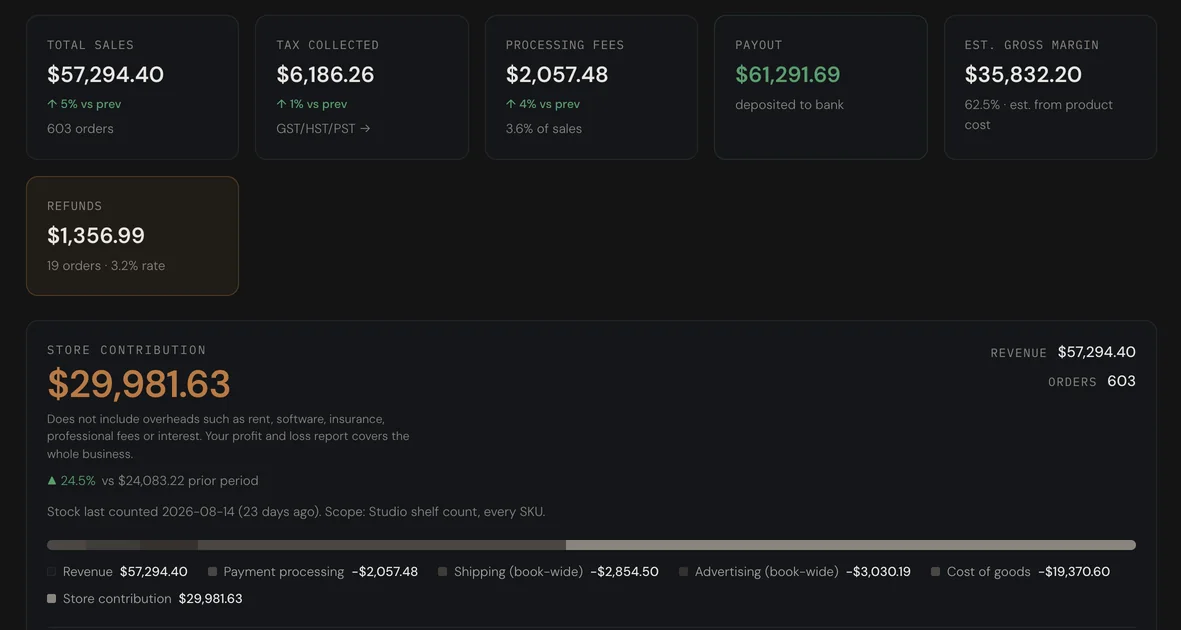
Shopify shows your sales.
HQ shows what you kept.
Five years of your own store, month by month
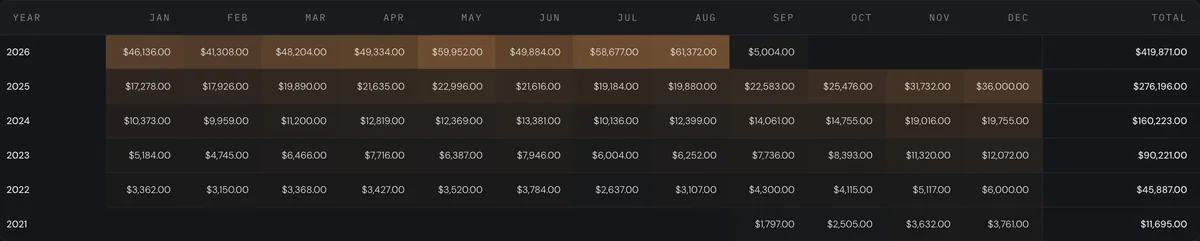
Talisk imports the history out of your store once, then keeps it current from the ordinary sync. Every month of every year on one grid, shaded so a good August stands out from a quiet one, with the year's total on the end. Switch it to units, to orders, or to what the average basket was worth.

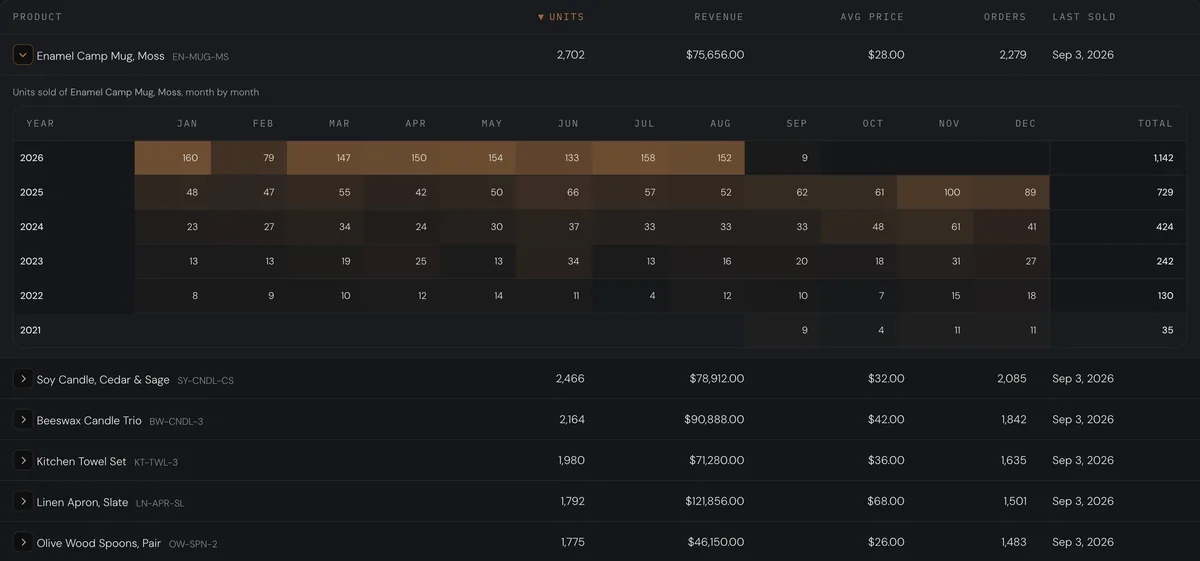
Open a product and it has a five-year grid of its own
The leaderboard ranks what actually moves: units, revenue, average price, orders, and when each one last sold. Open a row and the same monthly grid appears for that product alone, so a line that used to sell and stopped is obvious, and so is the one quietly growing every November.
Shopify pays you.
HQ does the bookkeeping.
The selling and the bookkeeping are the same product
A payout is not a report here, it is an accounting event. It posts to the general ledger with its sales, its tax and its fees, matches the deposit in the bank feed, and every figure on this page comes off the same entries.
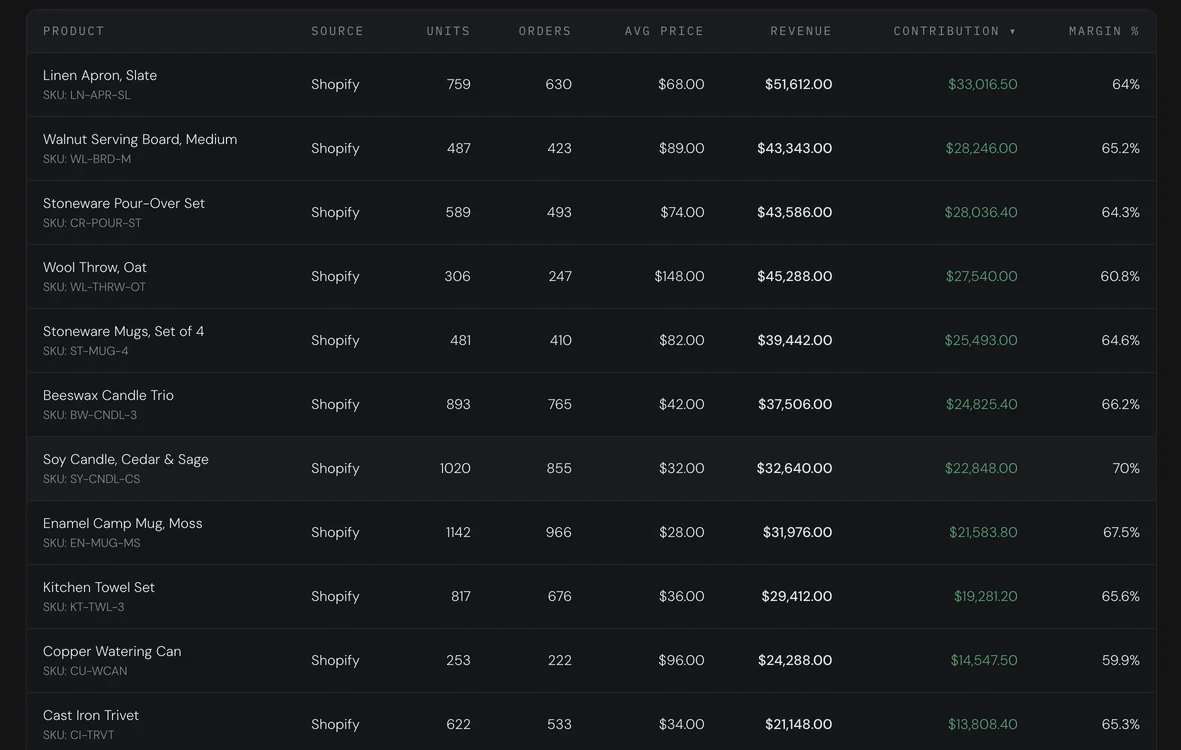
What each product earns, not what it sells
Sorted by what each one contributes, not by what it sells, because the top seller is not always the one making the money. Where a product has no cost recorded, it says so rather than showing a margin it cannot stand behind.
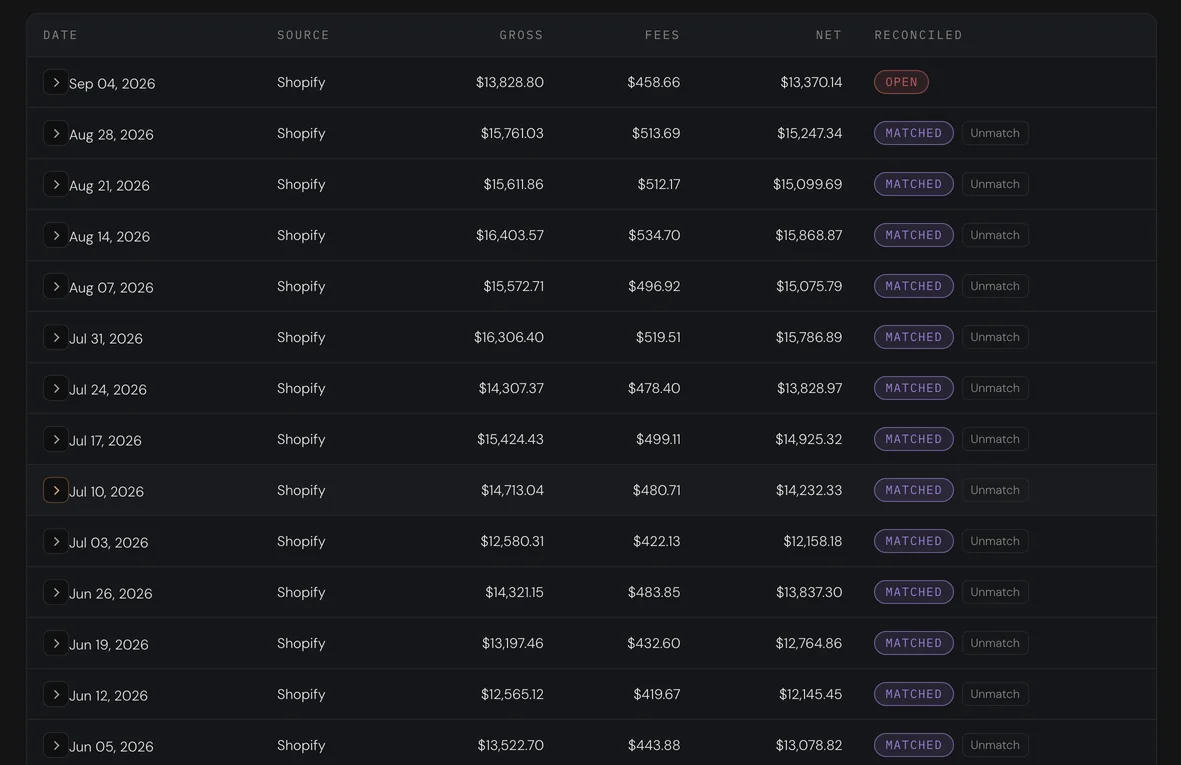
Every payout, matched and posted
Sales, tax, fees and refunds are split out of the payout and posted to the ledger. The deposit that carried it is matched in the bank feed on its own. Nothing is entered twice and nothing is left over.

The month against the month before it
Fee load, shipping load, refund rate, how long the money takes to arrive, and how much of it came from customers who had bought before. Each one carries the previous period beside it, on the same basis. Where a figure is incomplete it says which charge it could not read.
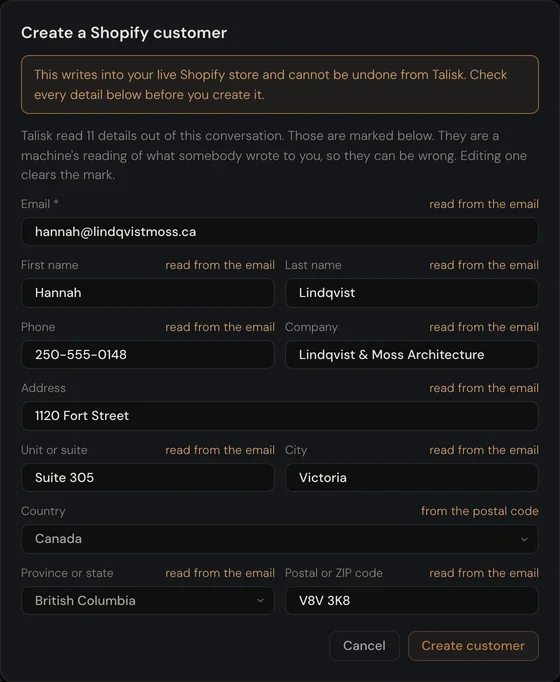
Turn an enquiry into a Shopify customer in one click
A new customer asks about placing an order? Press Create customer and HQ reads the whole conversation, so even an address mentioned three messages ago lands where it should.
A number you can act on, and one you can defend
It says what it does not know
A shipping charge with no line detail is named rather than absorbed. The date stock was last counted sits under the figure. Where cost is missing, the word is withheld.
It ties to the books
Every figure here derives from posted ledger entries, so the store's numbers and the accountant's numbers are the same numbers.
More than Shopify
WooCommerce sells alongside it. Square, Stripe and PayPal settle into the same ledger through the same payout rail, whether or not there is a storefront behind them.
Simply connect your store
Your sales, posted
Sales, fees, tax and refunds go into your books from every payout
Your payouts, matched
Each deposit is paired with the payout that sent it
Your profit, clear
After fees, shipping, ads and what the goods cost you
Your sales tax, ready to file
GST/HST and PST figures and the worksheet, every period